This weeks assignment was to find five iPad apps that are appropriate for clinical practice. I wanted to share what I found with you. Maybe the five I found seem like a stretch to you. Maybe you never thought of using that app that way or even at all. It was a fun assignment. I had no idea what apps were even out there as I scrolled through the app store. I went down many rabbit holes and had to start off with what apps do I already use with clients.
So why write about this assignment? Getting out of school, I never thought about using my iPad in sessions outside of using it for chord charts. In my internship, using games like SoundForest or writing a song with a client on GarageBand was super foreign to me. Maybe it is foreign to you too. Maybe my exploration can be of use to other interns and professionals.
Without further ado, here are the five apps I found.
No 1. GarageBand
Summary
GarageBand is an app for making and recording music. It has so many options that it is almost overwhelming. It offers a wide array of instruments to choose from, as well as the ability to directly record piano, guitar, and bass and plug in music and instruments from external apps. Melodic instruments have the options of chords or notes. You don’t need to know how to play in order to play the instrument on GarageBand. In the settings you can change the chords. Moving up and down the chord changes the voicing and a visual auto play knob adds more complexity between chord changes. Drums has a drum machine, acoustic drums, and a beat sequencer. All these instruments and voice can be recorded onto tracks that can be layered and played together. Once recorded, you can balance tracks and add effects.
Clinical use
GarageBand can be used with clients to write music. You don’t have to know any chords or actually play those instruments in order to play them on GarageBand. This makes songwriting easier for clients. Clients can use the chord function to create a chord progression. These same chords/notes can be used across instruments to add layers to the song. Clients can also use the note function to add complexity and a melody. On the note function, you can change the scales from chromatic to pentatonic or whatever is best for your client. Clients can also create their own beat, whether for their song or just to enjoy or dance to. Writing music is great for areas such as self expression, autonomy, and emotional processing. GarageBand gives them the ability to truly lead the songwriting.
Drawbacks
While I love this app, there are so many options from instruments, sounds, chords, scales, and beyond. It is easy to get decision fatigue and feel overwhelmed. Even spending days tinkering around, I have not tried even half of the options and am still feel like I am getting the hang of the basic functions. It is definitely a step by step process that requires patience.
No. 2 The Lyrics App
Summary
Staying on the topic of songwriting, The Lyrics App is another tool that can be used. The app allows you to write down lyrics and record a melody in the same place without having to flip between pages. For each line of lyrics you write, you can record a melody. A feature of the app is that it allows you to click on the word you have written and choose rhyme or thesaurus. When choosing rhyme, a list appears of words that rhyme with the one you have highlighted. When choosing thesaurus, a list appears of synonyms for that word. A play button at the bottom of the screen plays all the recordings in the order you have them and the clipboard icon copies all your lyrics. Lines/sections of lyrics can be moved around without having to rewrite or rerecord.
Clinical use
This app made me think specifically of a client I saw during practicum at WIU. She loved to write songs but never remembered the melodies she created and lacked a piano or the musical knowledge to notate the melody. When we did spontaneous songwriting in that group, I did not have a piano to notate the melody the group came up with. This could be used for songwriting with a client. In a setting where self-expression and emotional processing is the main goal, songwriting can be very helpful. Clients can process and express themselves through the lyrics they write. This app lets you record so you can hear how different melodies sound before choosing one to notate. It also can help clients by giving rhyming words and synonyms to choose from. I could see this being used in a mental health setting.
Drawbacks
It really delivers on what it says it will do, but it took poking around and maneuvering on my end to find and use the rhyme and thesaurus options. I also wish the app had a place where you could notate the melody after recording it or at least include a piano function. Besides those gripes, it is very straight forward. All the creativity in this app is in the lyrics you write.
No 3. Launchpad
Summary
Launchpad creates a backing loop. It has more than just drum sounds. Opening the app, you choose a sound pack/mood. Each sound pack has eight columns with six options each to create your music. The first column is different drum loops. The second column is percussion loops. The third is bass. Columns four through six are different melodic loops. Column seven and eight are different sound effects. You can only choose one loop in a column at a time. The loops are different in each sound pack. Within the app you can change the tempo and key and record when you like what you have. You can also pay for and download individual loops in order to create your own sound pack.
Clinical use
Similar to options on GarageBand, clients can make music with the touch of a button. This app requires less musical knowledge than GarageBand and creates music more realistic in EDM, rap, hip-hop, and lo-fi. Once recorded it can be plugged into GarageBand where you can add other instruments and tracks. Because it has buttons in a column it could be more accessible to clients than GarageBand. I could see using this app with one of the high schools I see to create a beat to add to a song or just to stand alone. I previously used the beat maker on GarageBand but they said it didn’t have enough of a hip-hop sound.
Drawbacks
My biggest issue with this app is that the music can only be in a minor key. Maybe major keys aren’t as common in the genres of music it caters to, but I would love to have the option. I also wish you didn’t have to pay for as much as you do on this app. While a lot is free, a lot of options are not.
No 4. SoundForest
Summary
Similar to a beat maker, SoundForest has four beats per page subdivided into sixteenth notes. Rather than normal drum sounds, it has different nature and animal characters, each with their own unique sound that you can place on the screen. The lower you place it in the column, the lower the pitch. You can add multiple to the same column. The characters and sounds change depending on the environment. Using the bar at the top you can speed up or slow down your song. While you can’t change the rhythmic value of any of the sounds, some are longer than others.
Clinical use
In a group setting this app can be used to work on waiting one’s turn, respecting the choices of others, as well as emotional regulation. It can also be used to work on musical skills such as subdivision and rhythmic notation. This app allows clients to create music without getting too technical and still being fun and gamified. The characters also correlate with the environment which opens up to some academic skills of where mountains or giraffes are found, while still making music. It can be adapted in many ways. In HTDA, I used this app as a fun creative way to work on rhythmic notation and turn taking.
Drawbacks
My only gripe is that I can’t change the note value. I would love to be able to make sounds last for a half note or a whole note instead of trying to imagine that it is. I also wish that the columns had lines to show the breakdown of the four pulses per column. Every time I add a sound, I hope I eyeballed it well enough for it to land in the beat I want it to.
No 5. Like A Dino!
Summary
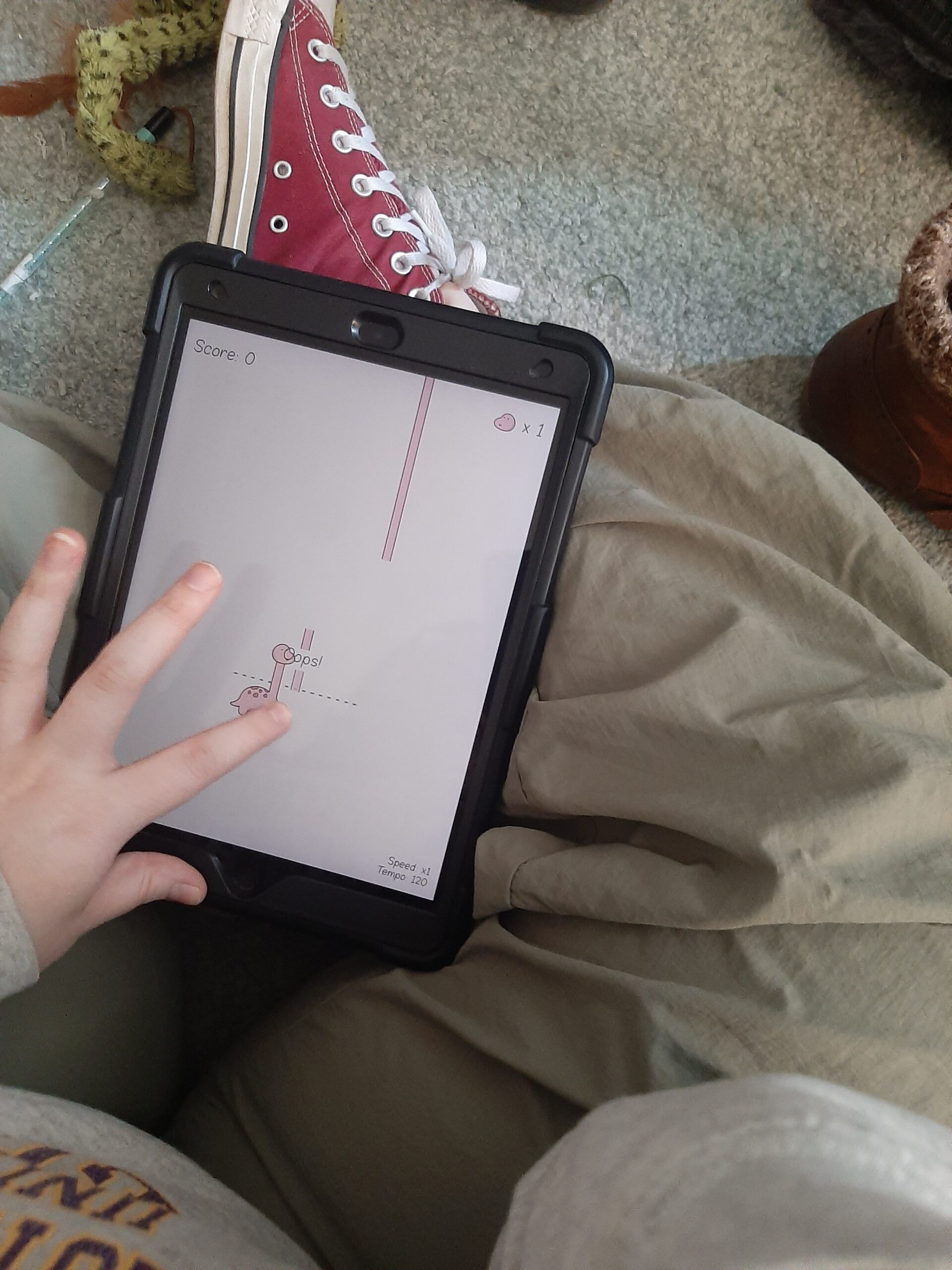
A musical game that requires you to move the dinosaur across the screen to catch blocks of his neck to make him taller. The falling blocks are tied to the rhythm and usually the pitch of the background music. Each block is a note of the music. Long notes are long blocks. Short notes are short blocks. Lower pitches are farther to the left and higher pitches are to the right. As you progress the music gets faster. It starts at 1x speed and then gains .1x speed each round. As you make it through the rounds you unlock new music. You have three tries/mistakes before the round starts over. When mistakes happen positive affirmations pop up on the screen.
Clinical use
My first thought when looking at this app from a clinical perspective was that it could be used to target fine motor skills and motor planning. To move the dinosaur, you have to use one finger and drag the dinosaur back and forth across the screen. As levels get faster the harder it is. To up the difficulty, clients could use different fingers. Being in a game format and on the iPad could serve as a motivator for kids. I think this app could also help with understanding musical skills. Like a piano, the lower notes are on the left and the higher on the right. There is also the visual of long and short blocks to go with the auditory of long and short notes.
Drawbacks
I wish you could add your own music. This would be a great way to include client preferred music. I also wish you could choose what speed to play it on. As you progress through the level, it gets faster. It would be cool if you could choose to stay on 1x speed or 1.3x speed.
Honorable mention- Easy Play Piano
An app made by a music therapist. It consists of a diatonic scale set up as color-coded bars that is easy and accessible for everyone. In the settings you can change the key. Cool app for melodic improvisation with any age without having to know pitches or transport anything and easy for anyone to use and make a sound with. They also have an app that is just the C pentatonic scale set up the same way.
Drawback
I wish I could go back and forth between the diatonic and pentatonic scale on the same app as well as change the sound beyond the piano.
Wrap up
I would love to know if you would use these apps and how you would use them. Would you use them similarly or in a way I couldn’t even imagine? I would love to know. What apps do you use and recommend in your clinical practice?
GraceAnne